FAQ
Your questions about training and drawing
How I teach
What does a training day look like?
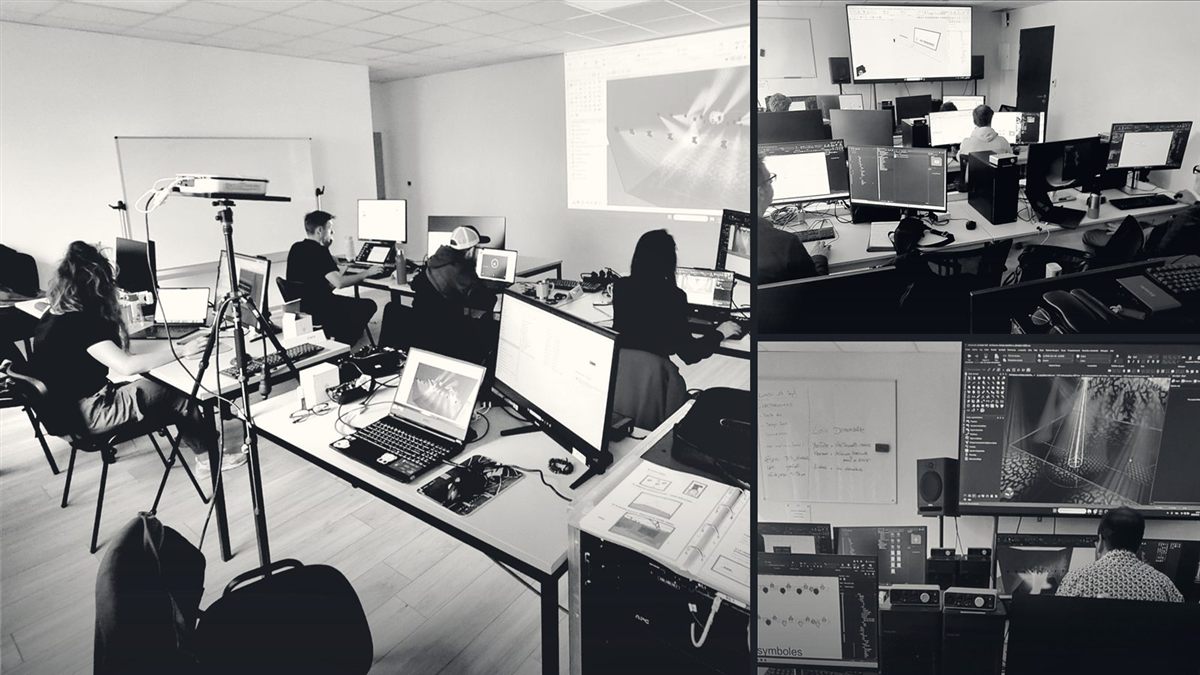
I show, you do. Each topic is explained on the big screen, then put into practice straight away on your workstation with an exercise. Everyone works on their own workstation; I follow the group's pace and check on each person to adapt my explanations to their level.
What do we work on during the course?
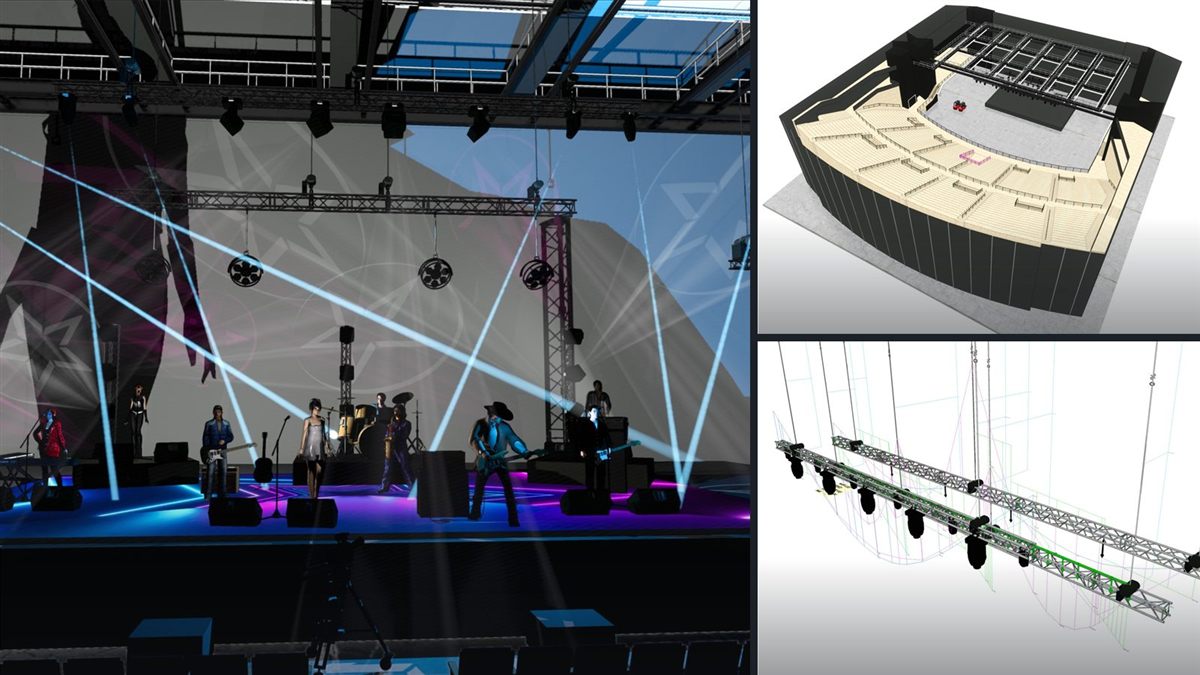
Real cases from events and live shows: importing the DWG of a real venue, a rigging kit with trusses and hoists, a lighting plot, worksheets and legends, all the way to the published client file. The longer courses end with a complete project, for example an arena, that you build from A to Z.
What do I keep after the course?
The PDF materials for each session, access to the course videos, your exercise files and your personal working template, so you can go straight back to your own projects.
What if I get stuck after the course?
I offer a 2-hour remote unblocking session on your own file (190 €). You can also ask your questions in my Vectorworks and Production Assist Facebook group and find my tutorials on YouTube.
I'm new to CAD: is this for me?
Yes. The Intensive Pro and From basics to expert courses start from the interface. You just need to be comfortable with a computer; knowing the trade (stage, lighting, structures) helps a lot. The 5-question questionnaire lets me adapt the content to your level before we start.
How long does it take to become independent in Vectorworks Spotlight?
In 5 days, you can produce a clean plan and a simple client file. In 8 to 10 days, you are comfortable all the way to load calculation. After that, practice on your own projects makes the difference.
The software
Vectorworks Spotlight, Braceworks, Production Assist: who does what?
Vectorworks Spotlight draws in 2D and 3D: the venue, the stage, trusses, hoists, the lighting plot and the technical file. Braceworks is the load calculation module built into Vectorworks. Production Assist is a full load calculation software that calculates in real time while you draw. It connects to Vectorworks Spotlight and Capture, and now also to AutoCAD, BricsCAD and SketchUp. I teach Production Assist with Vectorworks Spotlight and with Capture, and a one-day course with SketchUp is in preparation.
Do I need calculation software to draw a rigging plot?
Not to draw it: Vectorworks Spotlight is enough to place trusses, hoists and loads. Yes to check that the structure holds: that is the job of Production Assist or Braceworks, which calculate the forces on every truss and every rigging point.
What is the difference between Production Assist and Braceworks?
Both calculate loads on suspended and ground-supported structures, and Braceworks remains a very good Vectorworks module. But having used it for years, both in training and to produce calculations handed to structural engineers, I recommend Production Assist without hesitation: it goes much further, simplifies the work and makes exchanges between the client, the drafter and the engineering office easier. That is why I now teach Production Assist, for which I am one of the representatives in France, Switzerland and Belgium. I can still support you on your Braceworks projects from time to time.
Is the load calculation certified?
No. You get a verifiable calculation and a clear report, but final approval of a suspension remains the work of a certified engineer or engineering office. In France, you are more and more often asked for a preliminary load calculation, which is then approved by an engineering office: in my opinion, this will become the norm. Most of the people I train are stage managers and technical directors, not engineers. This preliminary calculation lets them know in advance whether the structure holds, instead of being caught out on the day. In the course, I teach you exactly how to produce it and prepare a clean file for the engineering office.
Is Production Assist free?
There is a free version, limited to 6 supports in total: for example 6 hoists, or 3 lifting towers and 3 hoists. Beyond that, a subscription is required. During the course, I give you access to my full version of Production Assist, so you can practise on real projects without any limit.
How do I find the weight on a truss or a hoist?
In Vectorworks Spotlight, each fixture and each load carries its weight, and worksheets add up these weights per truss and per hoist. Production Assist goes further: it calculates in real time the load taken by each hoist and the forces in each truss, depending on the exact position of point and distributed loads. It is one of the key exercises in my courses.
Can plans be exchanged with lighting consoles (GDTF, MVR)?
Yes. Vectorworks Spotlight uses the GDTF and MVR formats to exchange fixtures and the lighting plot with consoles and previsualisation software. I cover them in the lighting plot part of my courses, along with the DMX patch and labels.
Practical details
Can the training be done remotely, and in English?
Yes. Remotely for 1 or 2 people, or in your company with up to 6 people, each on their own workstation. Training in English is available on request, especially remote one-to-one sessions: we agree on your needs together beforehand.
Do I need a Vectorworks licence to take the course?
Each person needs a computer with Vectorworks installed. If you don't have a licence yet, Vectorworks offers a trial version, and a free version for students and teachers. We check everything together before the course so that everything is ready on day one.
What computer do I need?
Mac or PC both work for Vectorworks. Plan for a recent computer with at least 16 GB of memory; a dedicated graphics card helps a lot for 3D and rendering. A mouse with a scroll wheel is essential. I send you the recommendations before the course.
Can you draw the plans for my event or show?
Yes. I draw your stage plots and technical layouts in 2D and 3D in Vectorworks Spotlight, I model your venues (arenas, large theatres, conference halls), I prepare the load calculation in Production Assist and I create 3D renders for your clients. Per day or fixed price, on quote.
Where do you work?
I am based in Caluire-et-Cuire, near Lyon (France). I work on site across France, French-speaking Switzerland, Belgium and Luxembourg, and remotely anywhere in the world, in English or in French.